Making AI Fit My Workflow (Not the Other Way Around)
How I survive model and context switching at scale

LLMs made me dramatically more productive, and also dramatically worse at remembering where I left off. When every project can move faster, context becomes the bottleneck. This is how I built a portable second brain that plugs AI into any workflow while keeping humans and models in sync, regardless of which tools or models I’m using.
The problem: the context tax
The idea for this workflow was born as a solution to the problem of paying a recurring context tax every time I switched models, took a break, or let a project’s knowledge base grow large enough to be unwieldy.
That tax shows up as wasted time and broken momentum:
- The first hour back on a project goes to re‑explaining it to a model.
- At the same time, I’m re‑explaining it to myself, finding the latest docs, remembering decisions, reconstructing where I left off.
- If a project evolves inside one model, I usually have to replay those mutations later when I switch to another model or tool.
A reframing: this isn’t a notes problem
For a while I treated this as a note‑taking problem. Better tools. Better structure. Better discipline.
That helped—but it didn’t solve the core issue.
What I actually needed was:
- Context that survives time
- Context that survives model switching
- Context that survives tool churn
- And a reliable way to remind myself where I left off
This last point matters. The simple idea of keeping a physical notepad on your desk and always write down where you stopped works because it externalizes working memory. I started doing that too. What I wanted was to fold that habit into my digital workflow, in a way models could also use.
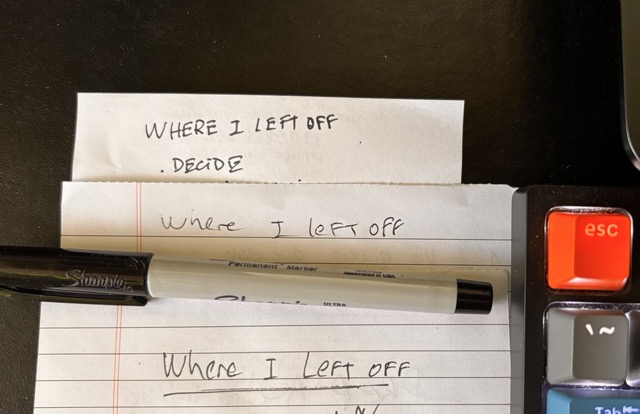
In short: I needed a portable second brain designed for humans and models, not just one or the other.
The architecture (high level)
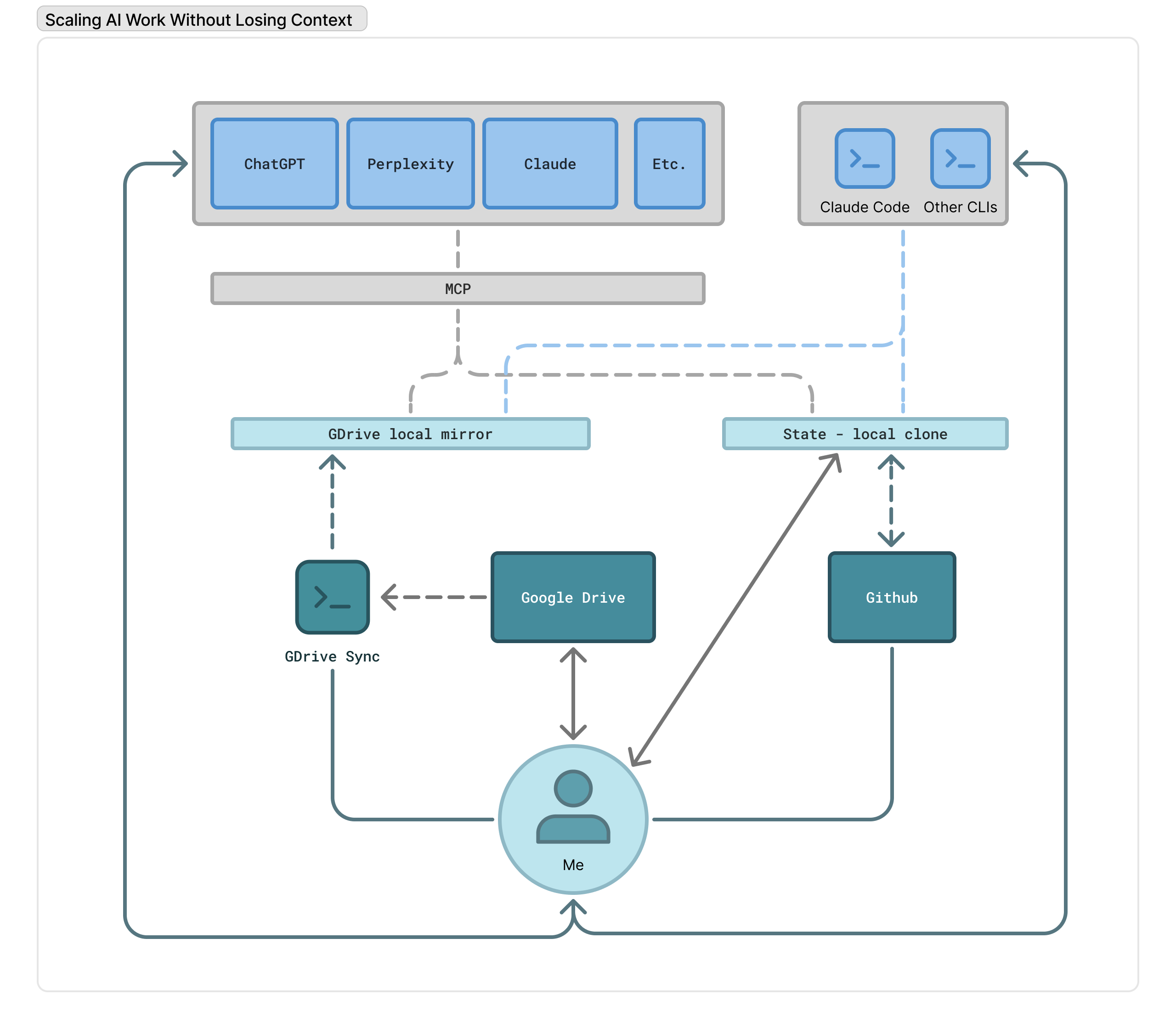
The system that emerged has four clear roles:
- Capture – where ideas, notes, and raw material land with minimal friction
- State – a compact, explicit memory of what matters right now
- Storage – durable, versioned, human‑readable files
- I/O – any model, on any surface
None of these pieces are novel on their own. The leverage comes from how they’re composed.
Capture: Google Drive (on purpose)
This surprised me, but the tool I naturally reach for on my computer, where I do roughly 90% of my work, is Google Drive.
For long‑running, high‑volume projects, Drive gives me:
- Clear structure
- Strong search
- Cloud‑native access
- Effortless sharing with other humans
The downside is real. Creating notes in Drive is not low‑friction, especially on mobile. Apps like Bear, Obsidian, or Agenda are better for quick capture.
And yet, Drive kept winning once projects grew.
The problem wasn’t the capture UI. The problem was what happened after capture.
The friction point: getting Drive content into models
As soon as I wanted to use LLMs seriously with my project material, friction exploded:
- Uploading documents one by one into chat UIs
- Re‑sharing files every time something changed
- Broken links when a model “forgot” a document
- Parallel copies of the same knowledge drifting apart
Drive stopped being passive storage and became an active bottleneck.
Solution #1: a Google Drive sync CLI
The first breakthrough was simple: make Drive local.
I built a small Python CLI that:
- Connects to the Google Drive API
- Downloads Docs as Markdown and Sheets as CSV
- Keeps a local mirror of selected Drive folders
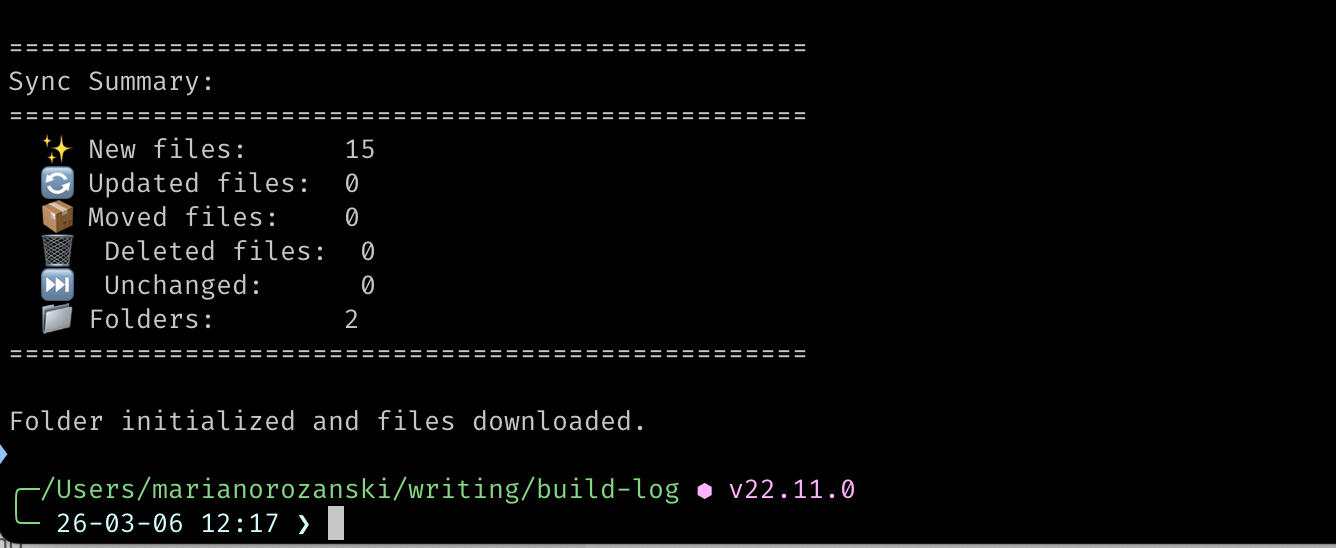
I can run it from any directory, point it at a Drive folder, and suddenly my cloud notes are just files on disk.
This tool ended up being far more important than I expected because:
- Local files are trivial to share with any model
- Any tool that can read a filesystem can now read my project context
- I stopped thinking about uploads entirely
What started as a utility script became a core part of my daily workflow. I wrote a full breakdown of the implementation on Medium.
I/O: model‑ and surface‑agnostic by design
Once my notes lived locally, I could interact with them from anywhere:
- Claude Desktop
- ChatGPT Desktop
- CLI tools
- IDE assistants
- Whatever comes next
The rule is simple: no model gets special treatment.
If a tool can read from disk, it can participate.
Storage & memory: Project State
This still left one unresolved problem: long‑term working memory.
Even with synced documents, humans and models both need an explicit way to remember the last meaningful project state when work resumes.
Before LLMs, this wasn’t a serious issue. My own attention was the bottleneck. Now I can juggle an order of magnitude more work in parallel—and that makes state loss far more expensive.
To solve this, I introduced Project State.
Project State is a small, explicit Markdown file that represents the current working memory of a project. It captures:
- Essential context
- Recent decisions
- Where I actually left off
It lives in a private GitHub repository.
Why GitHub?
- Full version history
- Easy rollback when humans or models mess things up
- Universally accessible
- Plain text forever
A minimal Project State file looks like this:
# Project: <Name>

> Last updated: YYYY-MM-DD

## Key Context

Essential background any model needs to understand this project.

## Recent Decisions

- Decision: brief rationale
This replaces the scratchpad on my desk full of “where I left off” notes without losing the benefits of versioning and shareability.
How models interact with state
Models read and write Project State through a local MCP server.
That server has access to:
- The GitHub‑synced Project State directory
- The Google Drive‑synced documents directory
Together, this forms a shared filesystem that both humans and models can operate on.
From my perspective, the interaction is straightforward:
- “Load state for project X.”
- “Save current state back to project X.”
Everything else is convention.
The superpower: combining capture and state
Individually, none of this is revolutionary.
Together, it changes how projects feel:
- Capture happens where it’s most natural
- State is compact, explicit, and durable
- Models can be swapped without ceremony
- Context survives breaks, experiments, and false starts
I’m no longer relying on any single vendor to remember what I’m doing. And as a bonus, I don’t need to maintain a fragile pen‑and‑paper workaround to stay oriented.
Lessons learned
- For long projects, memory beats intelligence
- Plain text scales better than clever abstractions
- Version control is an underrated safety net for AI workflows
- Portability matters more than polish
What I’d try next
- A reliable GitHub MCP server to fully automate state sync
- Better conventions for when models should update Project State
- Incorporate all these lessons into my personal assistant project
This system isn’t finished. But it finally feels stable. And that alone has been a meaningful upgrade.